Proposals
Quote a project in stages, send one signing link, take the client's acceptance and amend it later with a change order.
Find a proposal
The register is the first tab of /admin/contracts. Tabs narrow it to All, Draft, Sent or Signed. The columns are Reference, Project, Status, Total, Valid until, Sent and PDF; a change order shows the reference it amends. Right-click a row for Open proposal, Open project, Copy link and, on a draft, Delete draft.
Start a draft
Press New proposal on the toolbar or the foot row, pick the Project and press Create draft. A proposal needs a live Terms of business version, published on the Templates tab of /admin/contracts. The currency comes from the project's Commercials. The reference is minted from the project code, such as PRO-HRBR-0009-R01; a re-quote takes R02. Drafting a proposal moves a lead to Scoping.
Build it
The record opens on its Proposal tab, in three sections:
- Document: Intro note, VAT note and the Terms version. Only the live version is offered; Read opens the wording beside the proposal.
- Money and validity: Currency, Valid until, Also show in and Rate. The second currency prints an indicative figure under the total and binds nothing.
- Stages: a grid of Stage, Description, Scope, Delivery by, Effort note, Price and Remove. Scope takes one item per line, and the document letters them. New stage at the foot adds a row; drag the grip to reorder.
The other tabs are Preview, the exact page the client will get, History, and Chat, the studio's internal thread.
Send it
The Send section at the foot says what sending does: it freezes the proposal at its total, records it as signed by the studio, and mints one signing link. Press Send proposal, then Yes, send it.
The link lasts fourteen days past Valid until, or thirty days when there is no date. Sending supersedes any earlier proposal still open on the same project. A sent proposal is frozen: the record shows its stages, Signatures and document hash. A draft can be deleted from the bin beside its status, with an undo in the toast.
What the client sees
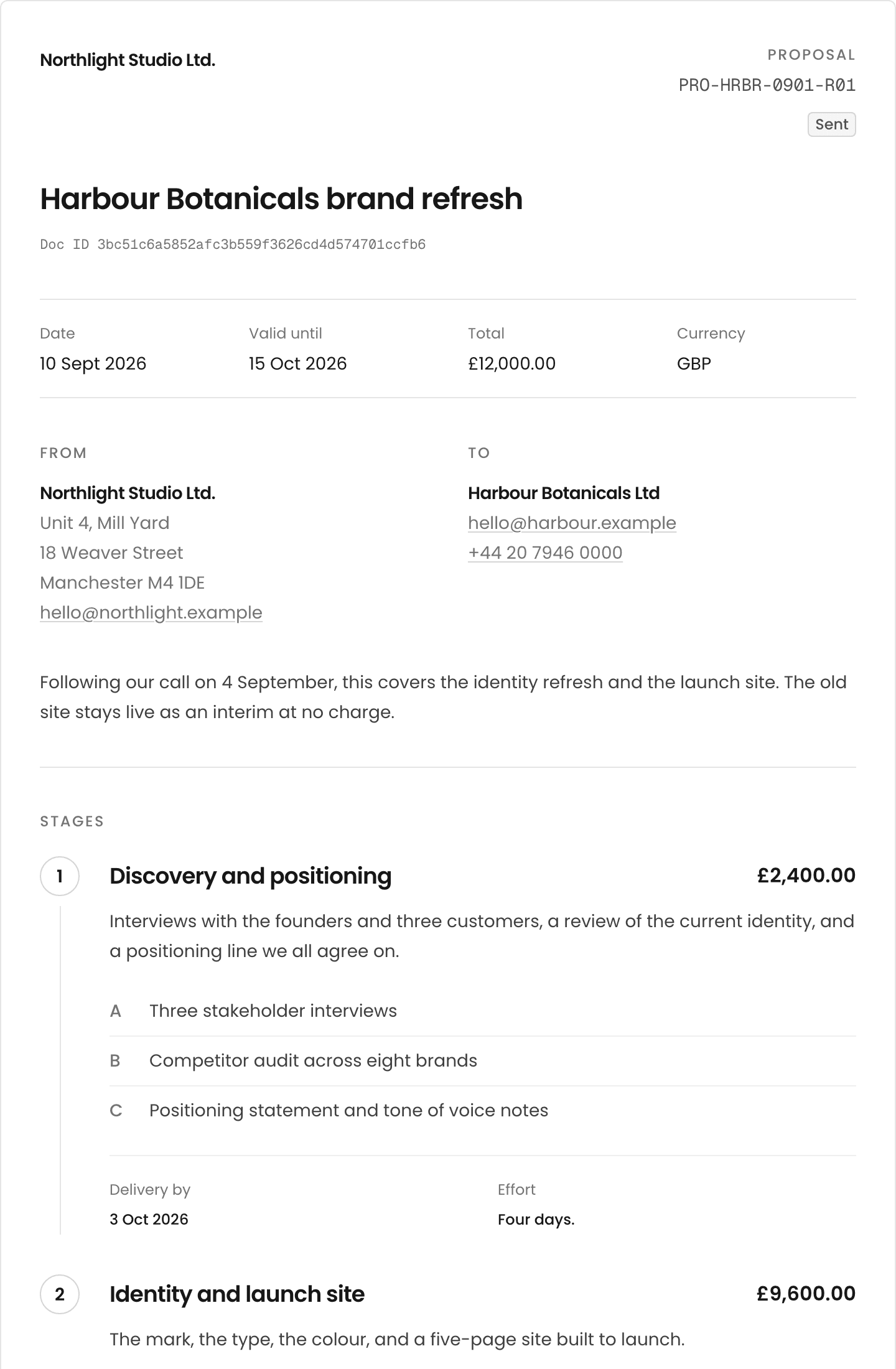
The link opens /proposal/<token> on the studio's letterhead, with no sign-in: the From and To parties, the intro note, the numbered stages with lettered scope, Delivery by and Effort, the Total with the VAT note, the terms in full, and the signatures. A sticky bar carries the total and Accept proposal.
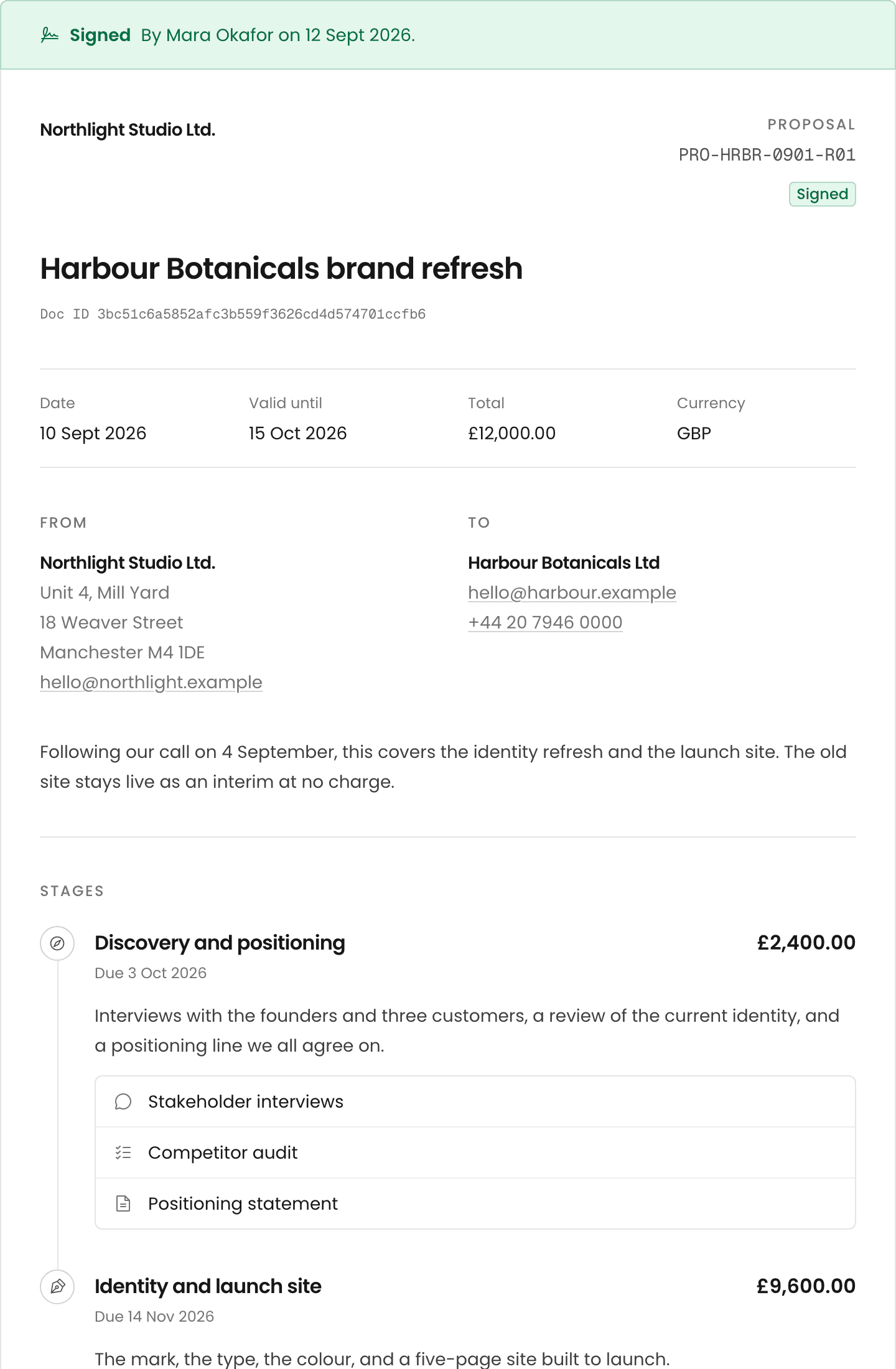
Once Valid until has passed, or the proposal is declined or superseded, the page leads with No longer open for acceptance. A signed one leads with Signed, who signed and when, and Download PDF. A signed-in client also has /proposals, Your proposals, split into Outstanding and History, each read-only.
Accept it
Accept proposal expands the bar. The client ticks "I have read and agree to the terms of this contract and project proposal", types their full name and gives their email. A Signature block offers Draw or Upload and is optional: the typed name is the signature, and the picture is evidence added to it. The name, email, time, IP address and browser are recorded against the document hash.
Acceptance sets the project's Agreed fee and Currency, creates a deliverable for every stage, and moves a lead or scoped project to Production.
The PDF
A signed proposal is minted as <reference>.pdf: the page the client saw, with the audit trail as its last page, filed under the project's Documents. Press Download PDF on the record, the PDF chip in the register, or Download PDF on the client's page. A plain click previews it first.
Read the history
The History tab opens with the Document ID, the hash the send froze; every signature attests to it and the PDF prints it. Below, newest first: Created, Sent, Signing link fetched (email and chat apps fetch a link to preview it), Opened by the recipient with a visit count, Signed by us, Signed by the client with IP address and browser, Completed, and Last edited.
Statuses
| Status | Meaning |
|---|---|
| Draft | Being written. The only editable state. |
| Sent | Frozen and with the client. |
| Signed | Signed by the client. The PDF exists from here. |
| Declined | Turned down. Frozen. |
| Expired | Valid until passed while still sent. Set nightly. |
| Superseded | A newer proposal was sent on the same project. |
Raise a change order
A signed proposal offers Raise change order beside Download PDF. It opens a new draft with a -CO01 reference. The original's stages are copied at no charge, each pointing at the deliverable it created; price what changes and remove what does not. The client's document is headed The change, names the quotation it amends, and totals Original quotation, This change order and Revised project total. Accepting adds to the project fee. A change order cannot be raised on another, and a proposal with change orders cannot be deleted.
In the app
- /admin/contracts?tab=proposals
/admin/proposals/[id], with?tab=preview,?tab=historyand?tab=comments/admin/proposals/[id]/documentfor the PDF/proposal/[token]and/proposal/[token]/documentfor the client- /proposals for a signed-in client
- /admin/contracts?tab=templates for the Terms of business