Your studio operating system
Proposals, sign-off and invoices for design studios, on one record. You trained to design, not to chase invoices.
“Hello Millstone”
Millstone works with Claude, ChatGPT, Cursor and any tool that speaks MCP. Connect the one you already talk to, and it can read and run the studio with you.
Ask who owes you money, and the answer comes from the live records.
Set up a project or draft an invoice without opening the app.
Anything that leaves the studio waits for you to press the button.
Plug your own AI straight in. No middleman, no credits to buy.
The part of the job that is not the job
Scope creep is not a disagreement, it is a lack of a record. What was agreed, what has been shown, what has been asked for since, and who said yes to it. Millstone keeps all four, so the conversation about money takes ten minutes rather than a fortnight, and so nobody has to be the one with the better memory.
What was agreed, frozen
Send a proposal and it freezes: the lettered scope items, the price, the delivery date, and who signed it and when. A revision is a new version, so the document you can produce in two years is the one they actually signed.
Anything extra, marked as extra
Each deliverable says where it stands against that agreement: agreed, included, extra or dropped. The question of whether a request is inside the scope stops being a matter of memory.
A further round, priced
When the answer is yes but not for free, the extra work becomes a change order against the existing agreement, with its price. You read it and you send it, the way you would have written it anyway.
The wait, counted
Show the work and the clock starts on their side, not yours. Days waiting on the client, rounds used, and whether an approval was reopened, all on the record the client can see too.
Every milestone, one stone
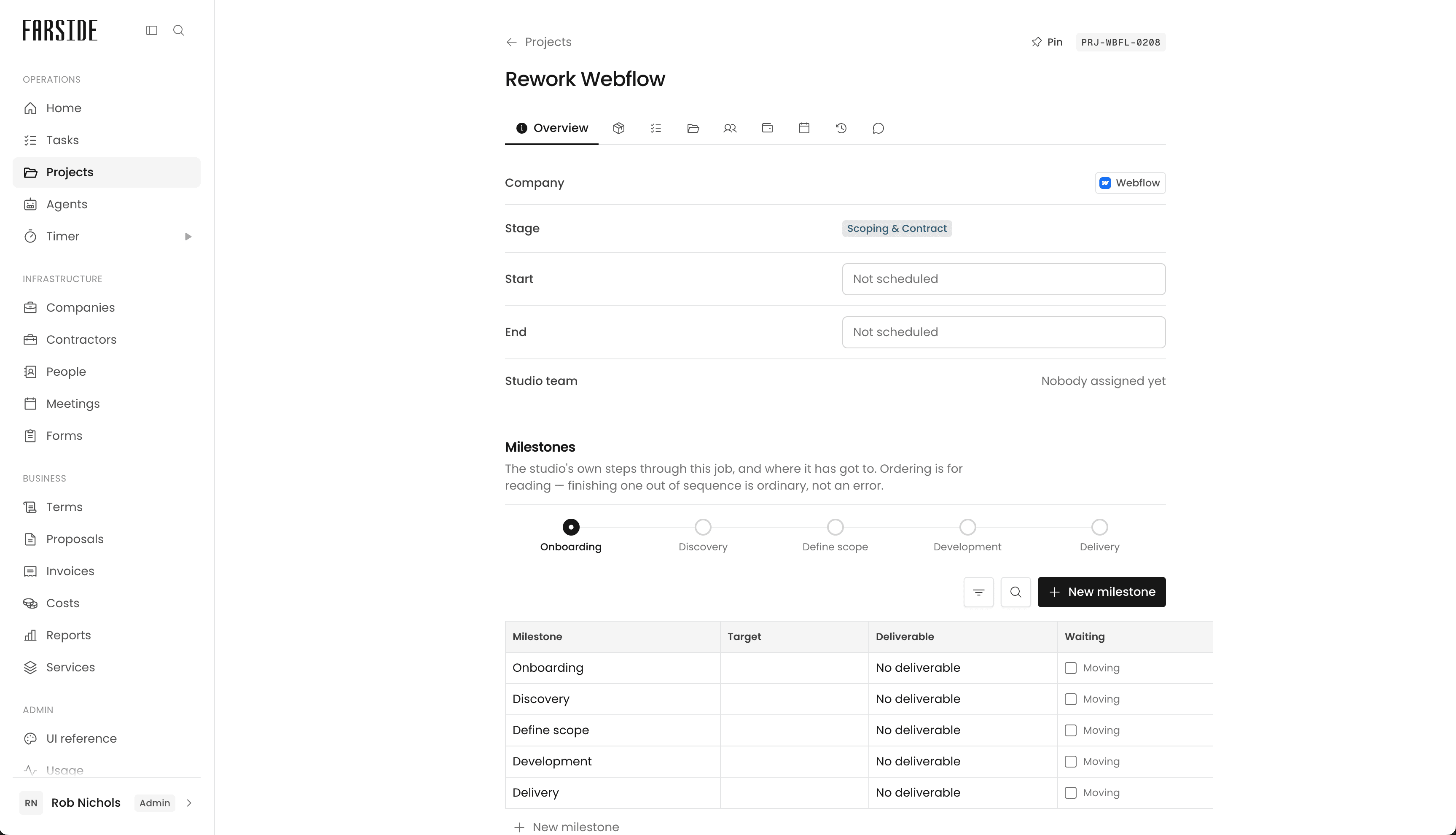
A proposal becomes a project becomes an invoice, on one record, so nothing is typed twice.
About MillstoneEverything else it does
The rest of the studio, on the same records. Nothing here is a separate tool with its own login, its own bill and its own idea of who the client is.
Clients and projects
Companies, contacts and projects in grids you can filter, sort and edit in place.
Freelancers, without the headache
Book someone at an agreed rate and they get their own door: the agreement, their days, their tasks, and nothing else.
Meetings, without the back and forth
A booking link in your own brand, against your real calendar, and the meeting lands with a call link ready.
Time, where it was spent
A timer against the task, deliverable or project in front of you. Your team and your contractors log to the same work.
Reports you do not have to build
Expenses, freelancer costs and invoices against the work, plus what each project made and what the studio burns.
Proposals that get signed
Built from your service catalogue and signed in the browser. Sent ones freeze, revisions are new versions.
Invoices and payments
Issue from a project or retainer, in any currency, numbered per client so the reference reads like yours.
Built by a studio that got tired of the workarounds
Retainers that roll
A monthly agreement that rolls on, raises each period and tells you when it is time to bill it.
The currency you quoted in
Invoice a client in their money and a contractor in theirs. Reports keep each currency honest.
Numbered for the client
Invoices carry the client’s own code and run in sequence by year. Nothing on them names the software.
Contractors at their agreed rate
Booked at the rate you settled, agreement signed, payment request coming to you. Paying it settles the booking.
Slots that are actually free
Booking links read your Google Calendar, so the time a client picks is time you have.
Terms that keep their version
The contract a client signed is the one you can produce two years later, because a sent document freezes.
Your studio, not ours
A space you can be proud to send a client to. Upload your own typeface, set your colour, put your mark on everything, and the whole thing takes on your brand: every proposal, every invoice, every page a client opens. Built by designers, with care in every detail. Give it a go:
Five tabs, one bill
A Notion that grew a page at a time, a spreadsheet of hours, the email thread holding it together. Keeping it true is a job on top of the work, and the tools around it cost this much a month.
List prices, charged by tier and billing period, so treat them as an estimate rather than a quote. All trademarks belong to their owners, named for comparison, not affiliation.
- Time tracking£24/moTogglClockify£8 × 3
- Invoicing & payments£33/moXeroQuickBooks
- Proposals & e-signing£36/moDocuSignDropbox Sign£12 × 3
- Scheduling & booking£24/moCalendlyCal.com£8 × 3
- CRM & pipeline£45/moNotionHubSpot£15 × 3
FAQs
Can we try it before we pay?
Yes. Every studio starts on a 14-day trial and no card is asked for until you choose a plan. Millstone is in early access, so the trial begins when a place opens for you; see below.
What happens when we hit a limit?
You cannot add another project, client company or team login until you move up a plan. Client logins are not counted. Nothing you have already made is removed, hidden or locked. A limit stops you growing; it does not take anything away.
Where is our data held?
In the EU, on Supabase. The sub-processors are published and versioned.
Can we take our data with us?
Yes, whenever you like. The studio owner can export any of it, clients, projects, time, invoices, proposals and the rest, as spreadsheets in one download, without asking anyone. Keep them as your own backup, or bring them into another tool.
Will our clients know they are using someone else's software?
Only if you tell them. Your typeface, colour and mark carry through to the proposals, agreements and invoices they actually see. There is no badge on them.
What if a payment fails?
Nothing locks straight away. A failed payment is usually an expired card, and a studio that cannot reach its own billing page cannot fix it, so work continues while you sort it out. If it is never sorted, the studio becomes read-only: you can still see and export everything, you just cannot add to it until a payment goes through.
How do we get set up?
Millstone is in early access. You join the waitlist with your studio’s name and website, places open a few studios at a time, and when yours does the studio is created for you with your first login as its owner and you are onboarded personally.
Who is it for?
Design studios that run projects for clients: proposals out, work delivered, invoices in, contractors booked. One person counts as a studio here, and the studios closest to this are the small ones, from a solo designer with a few clients to a team of a dozen. It is built from one studio's actual practice rather than from a category, which will suit some studios much better than others.
Lighten the load
Early access opens a few studios at a time, each onboarded personally. Put yours forward and put some of the weight down.